Schedule E Worksheet for Rental Property: What to Gather
Use this Schedule E worksheet guide to match rental property income and expense lines to the records you can gather for your tax preparer.
By Ultimate Rental Property Tracker by Cosmo Suite · Editorial policy
Published · 7 min read
Schedule E Worksheet for Rental Property: What to Gather
General information, not tax or legal advice. Ask your tax preparer or a local attorney about your situation.
The tax appointment is close, but the rent total and the repair receipts are in different places. A Schedule E worksheet can make the handoff easier by putting each property's figures beside the records that support them.
For a typical residential rental, Schedule E, Part I reports income and expenses by property. A worksheet is a preparation aid. It does not replace the IRS form or decide how tax rules apply to your situation. This guide follows the 2025 form and instructions, the latest final-year materials available when checked on November 2, 2026.
A Schedule E worksheet is a record-organizing page that maps rental figures to the IRS form's lines. A source record is the original receipt, statement, ledger, or calculation that supports an entry. A property-level total keeps one rental's amounts identifiable before you combine figures for a return.
Editorial check: the line references were compared with the IRS 2025 Schedule E and its instructions on November 2, 2026. The IRS sources support the tax details below; product information comes from the workbook's published contents list.
Our editorial policy explains how we source and review informational content.
Key takeaways
- Keep a separate record trail for each property and tax year.
- Match every figure to a receipt, statement, ledger, or calculation.
- Keep lines 20, 21, and 22 distinct when reviewing totals and losses.
- Leave tax treatment and depreciation calculations to your tax preparer.
What to include in a rental Schedule E worksheet
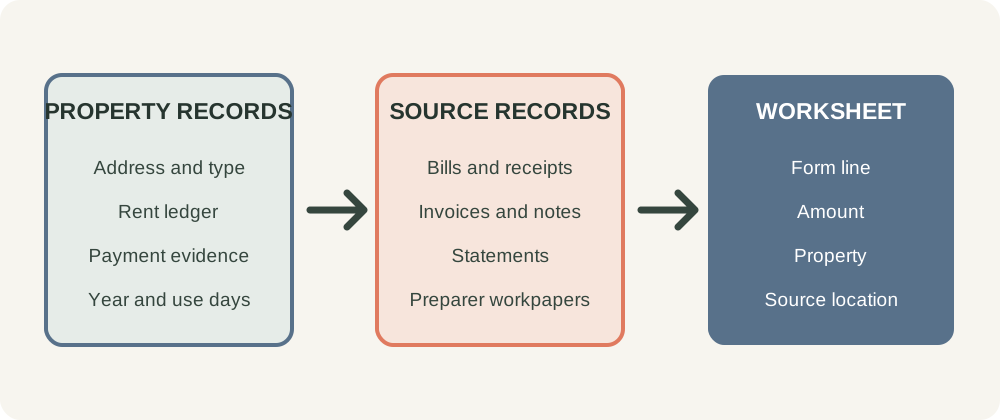
A useful worksheet has a place for each property, the form line, the amount, and the record that supports it. The source column matters as much as the total. It helps you and your preparer trace a figure back to an invoice, payment record, or calculation.
A blank row can follow this pattern: tax year; property address; Schedule E line; amount; date recorded; source document; file location; question for the preparer. For expenses, add payee and a plain description of the work or purchase. For income, note the tenant or other source and the period covered. Keep one row per transaction so a category total can be checked against the source documents.
| Schedule E item | What to organize | Records to gather |
|---|---|---|
| Lines 1a-2 | Property address, type, and fair-rental or personal-use days | Property details, calendar, lease or occupancy records |
| Line 3 | Rental income received | Rent ledger, payment records, lease, notes for other rental income |
| Lines 5-11 | Advertising, travel, cleaning and maintenance, commissions, insurance, professional fees, management fees | Receipts, invoices, management statements, contracts |
| Lines 12-13 | Mortgage and other interest | Form 1098, lender statements, loan records |
| Lines 14-17 | Repairs, supplies, taxes, and utilities | Work orders, itemized receipts, tax bills, utility statements |
| Lines 18-19 | Depreciation or depletion, and other expenses | Preparer's calculation, workpapers, itemized source documents |
| Lines 20-22 | Expense total, income or loss, and loss after applicable limits | Reconciled line totals and preparer review |
The categories follow the IRS 2025 Schedule E. Use the form and instructions for the tax year on your return because line details can change. The IRS Schedule E instructions explain the entries and when a rental activity may belong on a different form.
Use a separate worksheet row for each transaction rather than one annual entry for a whole category. If a utility bill covers more than one unit, keep the bill and a note about how the amount was allocated. Your preparer can review the allocation method and decide how to report it.
Start with one property at a time
Set up one worksheet section or column for each rental property. Record its address and property type, then gather the fair-rental and personal-use days requested on line 2. If a home was also used personally, keep a calendar or other record that supports those days. The tax treatment can depend on the facts, so do not use a worksheet to decide what portion of an expense qualifies.
Line 3 is for rents received from rental real estate. Keep a monthly ledger that shows rent due, payment received, date, tenant, and property. If a payment covered more than one period or included another charge, keep a short note and the supporting record rather than relying on memory.
Line 4 concerns royalties, not ordinary rent from a house or apartment. The IRS instructions also describe cases where rental activity may be reported elsewhere, such as certain rentals with substantial services. If your arrangement is unusual, ask your preparer which form applies.
For more than three rental real estate or royalty properties, the IRS instructions say to attach as many Schedules E as needed to list them, while reporting certain combined totals on one form. Keep the individual property records intact before combining anything. A rental property spreadsheet guide shows how property, tenant, rent, and expense records can stay connected through the year.
Match expense lines to source documents
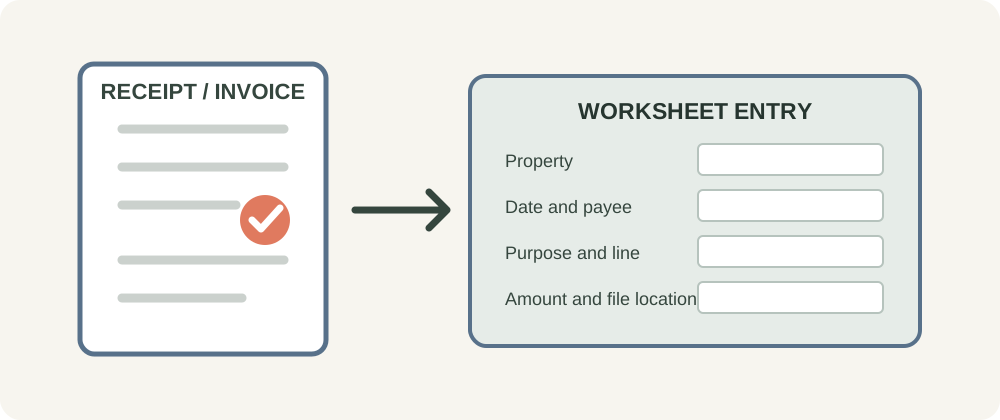
For each payment, write down the date, property, payee, amount, purpose, category, and where the original document is stored. The line label helps organize the material, but it does not prove that the cost qualifies for a particular tax treatment.
| Line | Schedule E category | Useful record |
|---|---|---|
| 5 | Advertising | Listing invoice and property note |
| 6 | Auto and travel | Mileage or travel record with date and purpose |
| 7 | Cleaning and maintenance | Invoice describing the work |
| 8 | Commissions | Agent agreement and statement |
| 9 | Insurance | Policy and premium statement |
| 10 | Legal and other professional fees | Itemized invoice |
| 11 | Management fees | Management statement or contract |
| 12-13 | Mortgage interest and other interest | Lender or loan records |
| 14-17 | Repairs, supplies, taxes, and utilities | Work description, itemized receipt, bill, or tax statement |
| 18 | Depreciation or depletion | Supporting calculation and workpaper |
| 19 | Other | Itemized document and explanation |
Repairs deserve a clear description. “Maintenance” alone may not tell a preparer what happened. Save the invoice with the work performed, the property, and the date. The IRS distinguishes routine repairs from work that may be an improvement requiring a different treatment. Ask your tax preparer how that distinction applies to the job.
Do not estimate depreciation in the worksheet. Keep the amount and the calculation from the preparer or qualified source with the records used to determine it. IRS Publication 527 discusses residential rental property, including expenses and depreciation.
Reconcile the totals without blending the lines
Lines 20, 21, and 22 do different jobs. Line 20 totals expenses from lines 5 through 19. Line 21 reflects income or loss after expenses, with other form instructions applying where relevant. Line 22 reports deductible rental real estate loss after the Form 8582 limitation, if one applies. A loss on one line is not automatically the deductible loss on another.
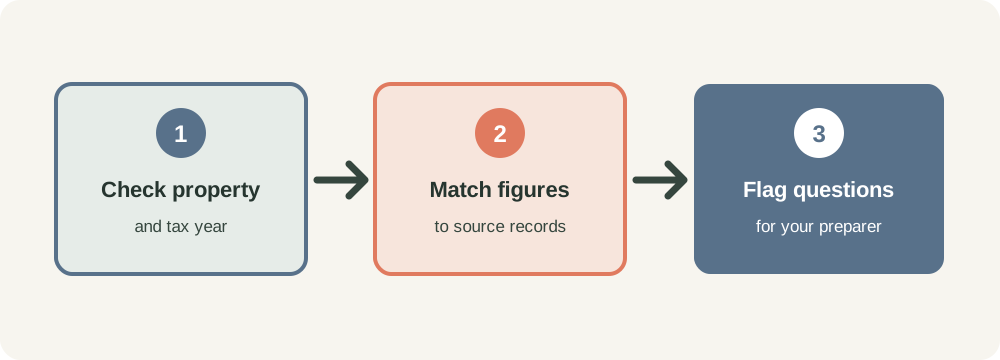
Before you meet your preparer, compare the worksheet to your records. Check that each rent amount belongs to the right property and year. Confirm that every expense total can be traced to the source documents. Flag missing receipts, shared costs, personal use, and any repair or improvement question for review.
The IRS 2025 Schedule E form and instructions are the references for the form's line order and totals. Rules about at-risk amounts, passive activity losses, and personal use can affect a return. A worksheet cannot determine those limits.
Keep the worksheet current through the year
Add records as they happen. After a rent payment, record the date and amount against the right property and tenant. After paying a bill, note its purpose and save the receipt or statement in a property folder. Keep mileage and maintenance details close to the related expense.
At month end, compare the rent ledger with payment records and scan the expense list for missing documents. At year end, group the source material by property and category. Bring the worksheet and original documents to your tax preparer, including any depreciation workpapers and questions about mixed personal use or improvements.
A final review can follow four checks: each amount belongs to a year, each amount belongs to a property, each expense has a source, and every uncertain tax treatment is marked for discussion. Do not delete an old entry to make a total match. Keep a note explaining an adjustment and save the record that supports it.
The IRS rental real estate recordkeeping guidance explains why records matter when preparing financial statements and tax returns. Keep records for the period your tax adviser recommends for your circumstances.
How Ultimate Rental Property Tracker fits
Ultimate Rental Property Tracker is a Google Sheets and Excel workbook with 15 connected tabs. Its Schedule E Summary arranges figures entered by property and year in the form's order, so the totals and supporting records have a clear place. It does not decide whether a cost is deductible, calculate depreciation, provide tax advice, or file a return.
The workbook also includes Properties, Rent Ledger, Income Log, Expense Log, Mileage Log, Maintenance & Repairs, dashboards, and other tabs from the published contents list. It has no bank link, rent collection, or tenant portal. You can review the rental property tracker if a connected record system would help you prepare your own figures for review.
The Schedule E Summary tab in Ultimate Rental Property Tracker arranges the figures you enter by property and year. Keep the source documents with your records and have your tax preparer review how the numbers belong on your return.
For another view of the record setup, see the rental property spreadsheet guide and Schedule E instructions guide. Use the IRS form and current instructions for filing, and ask your tax preparer about your situation.
Frequently asked questions
Is a Schedule E worksheet the same as Schedule E?
No. A worksheet helps organize figures and source records. Schedule E is the IRS form used to report rental real estate and other listed income or loss. Use the instructions for the tax year you file and ask a tax preparer about your situation.
Do I need a separate Schedule E worksheet for each property?
Keep income and expenses identifiable by property. The IRS form has separate property columns, and owners with more than three rental properties generally attach additional Schedules E. Ask your preparer how to organize your records and complete your return.
Does a Schedule E worksheet calculate depreciation?
It should not guess the depreciation amount. Schedule E has a depreciation line, but the figure depends on tax rules and property records. Keep the calculation and supporting workpaper from your tax preparer or other qualified source.
Can a worksheet tell me which rental costs are deductible?
No. A worksheet can sort costs and preserve their descriptions and receipts. It cannot decide how tax rules apply to your facts. Ask your tax preparer whether an expense belongs on a particular line or needs different treatment.
What records should I bring to my tax preparer?
Bring rent records, receipts, invoices, mortgage and utility statements, property tax information, mileage records, lease details, and depreciation workpapers. Keep each item tied to the property and year it concerns. Your preparer can tell you what else applies.
Can a spreadsheet replace filing Schedule E?
No. A spreadsheet can help organize the figures behind your return, but it does not prepare or file the IRS form. Review the current IRS instructions and use the filing method appropriate to your circumstances.
Sources
Keep reading
Schedule E and Tax Time
Schedule E Instructions for Rental Property: What Records Go on Each Line?
Schedule E instructions for rental property, with a 2025 line-by-line record guide, notes on loss limits, and a list of what to bring to your tax preparer.
· 8 min read
Schedule E and Tax Time
Rental Property Tax Deductions Checklist: Schedule E Records to Gather
Rental property tax deductions checklist: gather Schedule E receipts, statements, and workpapers by property, then flag tax questions for your preparer.
· 8 min read
