
Keep Your Rental Property Books in One Spreadsheet
Skip the tax time scramble. Log rent and each receipt as it happens. Each property's year, who still owes rent and the Schedule E totals fill in by themselves. All in your own Google Sheet or Excel file, paid once.
- Expenses sorted into the Schedule E lines
- Who paid rent and who still owes
- Every property by month and by year
- No bank link, no subscription
Instant download • Works with Google Sheets & Excel • One-time payment
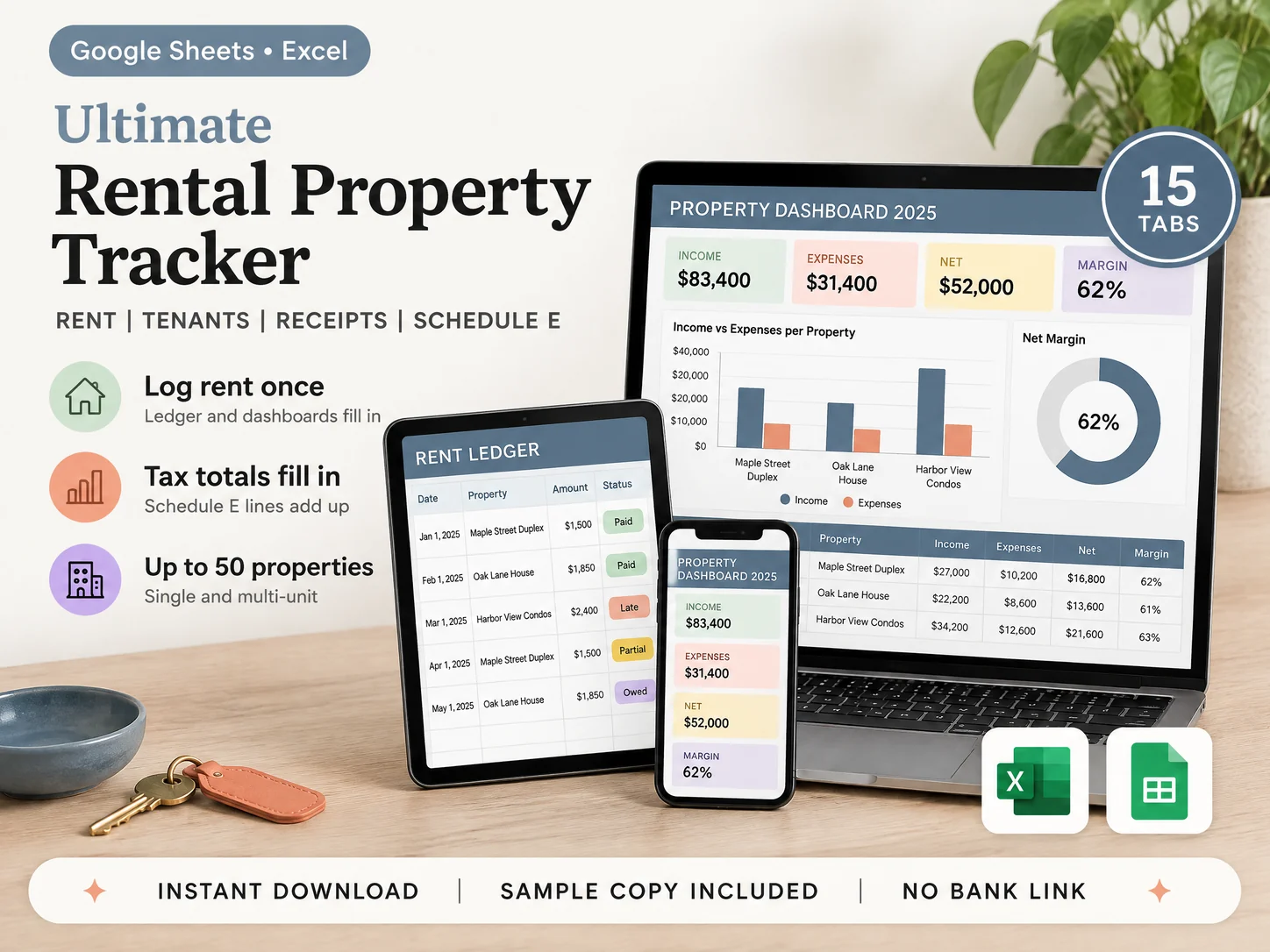
Works wherever you keep your rental books
See Every Rental Tab Before You Buy
Log each rent payment and receipt once. The ledger, the dashboards and the Schedule E Summary fill in from it.


15 Connected Tabs in Google Sheets and Excel
Log a property, a tenant, a rent payment, a receipt, a trip or a repair once. The rest of the file reads from it.
Expenses in the Schedule E Lines
Pick a category for each receipt from the Schedule E expense lines. The Schedule E Summary adds them up per property, per year.
Rent Ledger: Paid, Partial, Owed, Late
Rent due and paid per tenant and month. The status fills in, so you see who paid and who still owes.
Tenants, Leases and Deposits
Lease start and end, monthly rent and the deposit you hold. A flag shows each lease that ends within 60 days.
Repairs and Mileage, Kept for Tax
Log each repair with a repair or improvement flag, and each trip. The mileage deduction fills in from your rate.
Property, Monthly, Annual and 5-Year Dashboards
Income, expenses and net for one property or all of them, by month, by year and five years side by side, with charts.
Your Own File, No Bank Login
Pay once and keep it. Nothing links to your bank, so nothing breaks. The same 15 tabs in Google Sheets and Excel.
4 Sections. 15 Tabs. One File.
Set Up + Rent and Tenants (7 Tabs)
Add up to 50 properties and their tenants once. Each rent payment shows Paid, Partial, Owed or Late, and every deposit is on record.
Costs (3 Tabs)
Log each receipt, repair and trip once. Expenses sort into the Schedule E lines, and the mileage deduction fills in from your rate.
Reports (5 Tabs)
Dashboards by property, month, year and 5 years, plus the Schedule E totals for your tax preparer. The charts fill in by themselves.
Also Included

Receipts Sorted Before January, Not During It
Every tab works in Google Sheets and Excel. Log it once, and the ledger, the dashboards and the Schedule E totals fill in.
Expense Log: Each Receipt in Its Schedule E Line
Date, property, unit or whole property, payee, amount and notes. Pick a category from the Schedule E expense lines 5 to 19, and note where the receipt is kept. No more shoebox of receipts in January.
Schedule E Summary: Per Property, per Year
Rents received, each expense line 5 to 19, total expenses and the income or loss, in the order of the form. Print it and hand it to your tax preparer. It sorts your own figures and is not tax advice.
Rent Ledger and Income Log: Who Paid, Who Owes
Per tenant and month: rent due, paid, the balance owed and the date paid. The status fills in as Paid, Partial, Owed or Late. Late fees, pet fees, parking and laundry go in the Income Log.
Tenants, Leases and Security Deposits
Tenant name and contact, property and unit, lease start and end, monthly rent and the deposit held. A flag shows each lease that ends within 60 days. At move-out, log the deductions and the amount returned.
Maintenance, Repairs and Mileage
Each issue with its property, priority, contractor, estimated and actual cost, and a repair or improvement flag. Each trip with its purpose and miles. The mileage deduction fills in from the rate you set and goes to Auto and travel.
Property Dashboard: One Rental at a Glance
Pick a property, one unit or all of them, and a date range. See income, expenses, net and profit margin, rent collected against rent owed, and expenses by category, with charts.
Monthly, Annual and 5-Year Dashboards
One month at a time, sorted high to low. One year, month by month per property, with the year's totals. Five years side by side, per year and per property.
Simple to Set Up Tonight, No Accounting Skills
Fill in Setup, add your properties and tenants, then log rent and each receipt. The sample copy shows a landlord with 3 properties, so you see every tab filled in first.
What Our Customers Are Saying
More than 160,000 happy customers: real reviews from real customers


No Monthly Fee for Your Tax Report
Rental apps charge every month for the tax report, and their bank feeds break. Your data sits on their server. This file is yours: pay once, and share the Google Sheet with your tax preparer when you want to.
Bonus Sample Copy, Clean Copy and PDF Guide
Both copies come in Google Sheets and Excel. See the tracker filled in first, then start clean.
A SHORT PDF GUIDE
The Google Sheets link, how to open the Excel file, and the 4 setup steps, on a few pages.
A SAMPLE COPY
Filled with a small landlord's example: 3 properties and 5 tenants, so you see how every tab works before you add your own.
A CLEAN COPY
The same 15 tabs with no data in them. Fill in Setup and start with any month of any year.
How It Works
The formulas are already built. You only log rent and receipts.
Fill In Setup
Then add your properties and tenants
Log Rent
Each payment as it comes in
Log Each Receipt
In its Schedule E line
Read the Dashboards
Hand the totals to your tax preparer
Pay $9 Once, Own Your Rental Books
Everything on this page is in one download: all 15 tabs in Google Sheets and Excel, the sample copy, the clean copy and the PDF guide. Your own file. No subscription.
- Setup, Properties, Tenants & Leases (3 Tabs)
- Rent Ledger, Income, Expense and Mileage Logs (4 Tabs)
- Maintenance & Repairs, Security Deposits (2 Tabs)
- 4 Dashboards, Schedule E Summary, Instructions (6 Tabs)
- Google Sheets and Excel, Both Included
- Up to 50 Properties, Multi-Year
Instant download • Google Sheets & Excel • No subscription • No bank login
This is a digital product with immediate access after purchase. No refunds on digital downloads.
Built for 1 to 50 Rentals, Not a Whole Business
Accounting software is made for a business, not a few rentals. A homemade sheet has gaps. Here the formulas are already built, and the screens don't change on you. Works on PC, Mac, phones and tablets.

Frequently Asked Questions
Everything you need to know before you buy