What Is a Rental Property Spreadsheet? A 15-Tab Guide
Rental property spreadsheet: learn what to track for each property, how to organize rent and receipts, and how Schedule E records fit together.
By Ultimate Rental Property Tracker by Cosmo Suite · Editorial policy
Published · 8 min read
What Is a Rental Property Spreadsheet? A 15-Tab Guide
March is a poor time to discover that a repair receipt is in one inbox, a rent payment is in a bank statement, and the property address is missing from both. A rental property spreadsheet helps when each entry answers the same questions: which property, what happened, when, how much, and where the proof is kept.
The useful setup is more than an income-and-expense list. You need a rent record that shows what was due and paid, an expense log that points back to receipts, and a yearly view that keeps each property separate. This guide lays out the pieces and how they connect.
Key takeaways
- Give every transaction a property and date.
- Keep rent due, rent paid, and the remaining balance visible.
- Record expense categories and where the supporting receipt lives.
- Keep tenant balances, security deposits, repairs, and tax summaries in their own records.
- Treat a Schedule E summary as an organized handoff for review, not tax advice or filing.
What a landlord spreadsheet should track
A useful rental property spreadsheet connects property details, tenant records, rent, income, expenses, repairs, and year-end summaries. Start with the records you create during the month, then make summaries from them. The table shows a practical layout and what each part is for.
| Record | Fields to keep | Why it belongs |
|---|---|---|
| Property list | Property, unit, address, status | Gives every later entry a consistent home |
| Tenant and lease list | Tenant, unit, lease dates, monthly rent, deposit held | Keeps lease terms and occupants easy to find |
| Rent ledger | Month, rent due, amount paid, date paid, balance, status | Shows who paid and who still owes |
| Income log | Date, property, unit, source, category, amount | Captures rent and other rental receipts |
| Expense log | Date, property, payee, category, amount, receipt location | Connects an expense to its proof |
| Repairs log | Reported date, issue, status, estimated and actual cost | Separates a work order from the payment record |
| Property and yearly summaries | Period, income, expense categories, totals | Helps you review each property and prepare records |
One row should represent one transaction or one clearly defined rent obligation. Avoid a single monthly cell that combines several bills. If the water bill, insurance renewal, and a repair are all entered as one total, you lose the detail needed to answer follow-up questions.
If you are starting with a basic workbook, begin with property, date, description, category, amount, and receipt location. Add tenants and rent tracking when you need to see scheduled rent beside payments. A rental property spreadsheet built for landlords can provide the connected tabs, but the recordkeeping logic works in a workbook you set up yourself too.
How to connect rent, expenses, and tax records
The simplest connection is a shared property name or ID used across each log. A rent entry in the Rent Ledger and an expense in the Expense Log should point to the same property record. Then a monthly or yearly view can summarize both without merging the source entries.
The IRS Schedule E instructions say rental expenses are entered for each property in the appropriate column. They also explain that Schedule E is used to report income or loss from rental real estate. That property-by-property structure is a useful model for organizing records, even when your own spreadsheet uses different tab names.
| Transaction | Record it in | Keep this detail |
|---|---|---|
| Rent received | Rent Ledger and Income Log | Property, tenant, month, date received, amount |
| Late or other tenant payment | Income Log | What the payment was for and the date received |
| Contractor invoice | Expense Log and, when relevant, Repairs Log | Payee, property, work description, payment date, receipt location |
| Shared property bill | Expense Log | Mark that it covers the whole property and keep the allocation notes separately |
| Security deposit received | Deposit record | Tenant, date received, amount held, and disposition |
Keep these records descriptive. A category helps sort a transaction; it does not settle its tax treatment. The IRS rental real estate recordkeeping guidance says records should support the income and expenses reported. It also notes that receipts, canceled checks, or bills can be documentary evidence for expenses.
If you want the logs and property summaries connected in one place, a rental property spreadsheet for small landlords is one way to keep that structure together.
The separation between an expense log and a repairs log is useful when a job changes over time. The repair record can show that a problem was reported, who handled it, and when it was completed. The payment remains in the expense log with its receipt. If a job may be an improvement, mark it for review rather than deciding its tax treatment in the spreadsheet. The IRS distinguishes repairs from improvements in Publication 527; your tax preparer can apply the rules to your facts.
Organize the spreadsheet tab by tab
A small landlord can build this in stages. Start with the lists and logs you will use every month. Add dashboards and tax summaries after the underlying records are consistent.
1. Setup and properties
Use a Setup tab for the start month, year, currency, and categories you want to use. Keep one Properties list with one row for each property or unit you track. Use the same name or ID in every other tab. If the property is vacant, sold, or rented, record that status without deleting its old transactions.
2. Tenants, leases, and rent
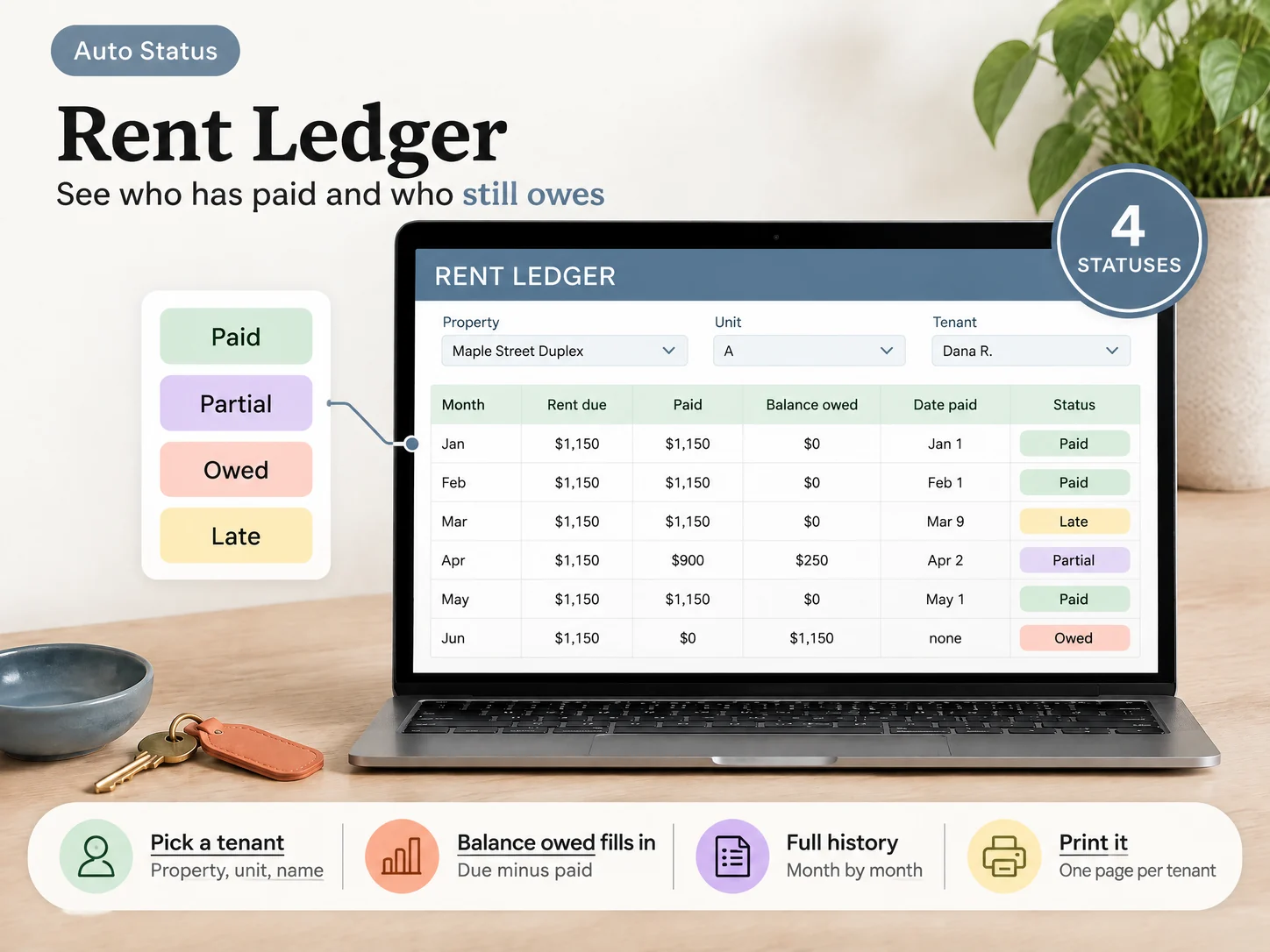
Store tenant and lease details separately from payment history. A lease date can change, but an old rent payment still needs to remain part of the record. The Rent Ledger should show rent due and payment received as separate fields, with the remaining balance visible. A status such as Paid, Partial, Owed, or Late makes the open items easier to scan.
Keep a deposit record apart from rent. A deposit you expect to return is not the same kind of entry as a rent payment. Record when it was received, what remains held, and any amount returned or retained, with a note about the supporting documentation. State laws differ on deposit handling, so check local rules or ask a local attorney.
3. Income and expenses
Record rental income when it happens, with the property, date, source, and amount. The IRS says rental income can include more than regular rent, so preserve a description of other receipts instead of forcing every entry into a generic “rent” label. See Publication 527 for the current federal guidance.
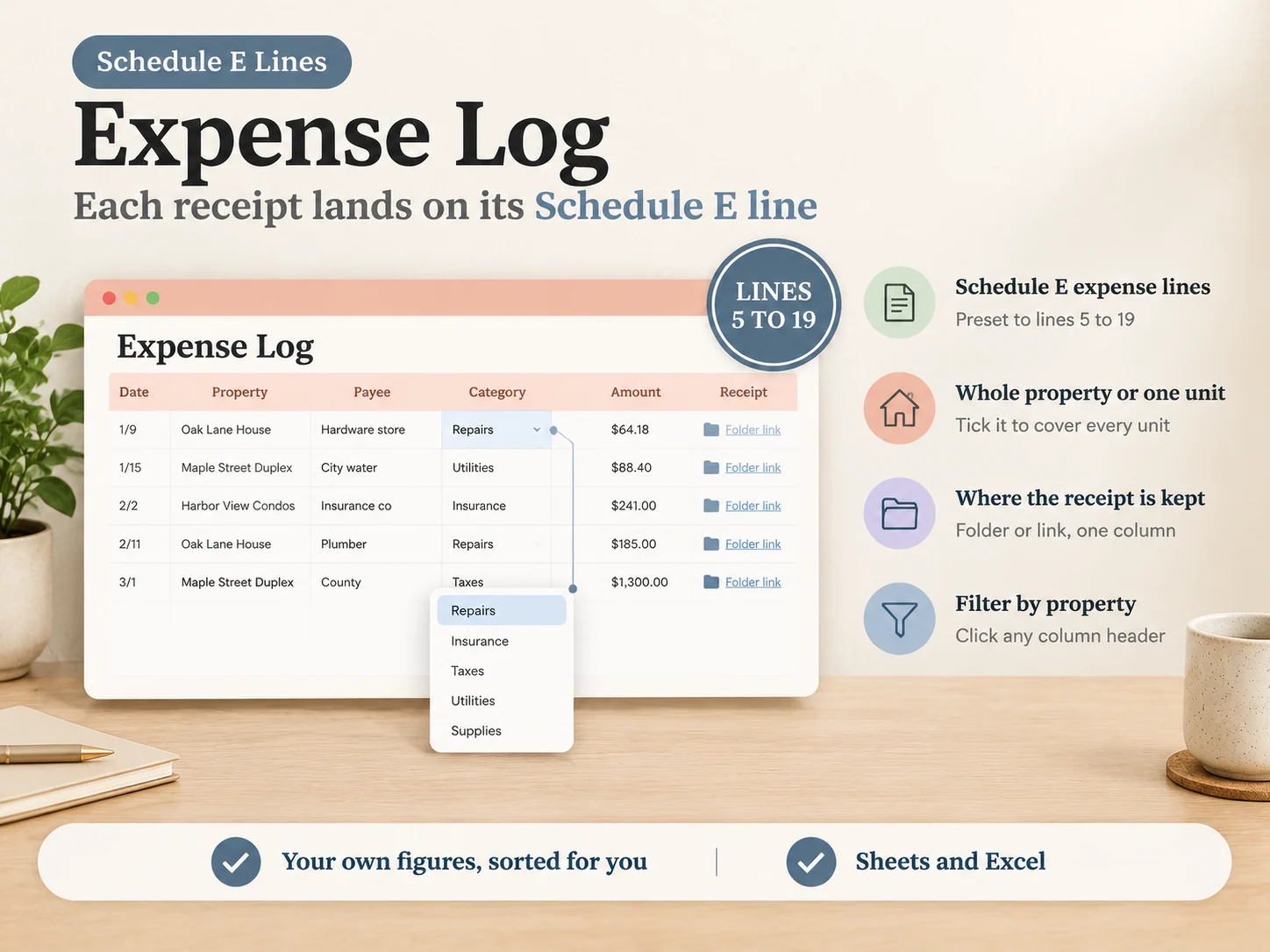
For each expense, save the date, property, payee, amount, category, and receipt location. A file name or folder path is enough to help you find a bill later; the spreadsheet itself is not the proof. If you use a digital folder, use a consistent naming pattern such as property, date, and vendor. Keep the underlying receipt or statement.
4. Repairs, mileage, and shared costs
Track a repair from report to completion in one maintenance record, then enter the payment in the expense log. This keeps the work status and the financial record connected without turning the repair description into a tax conclusion. For travel or mileage, retain the date, purpose, property, and distance details your preparer says are needed. The rules depend on the expense and tax year.
Shared costs need a note. If a utility bill covers a duplex where you also live, write down what the bill covers and keep your allocation method with the supporting record. Publication 527 explains that expenses for mixed rental and personal use may need to be divided. A tracker can preserve your inputs; it cannot choose the right allocation for your case.
5. Monthly, annual, and Schedule E views
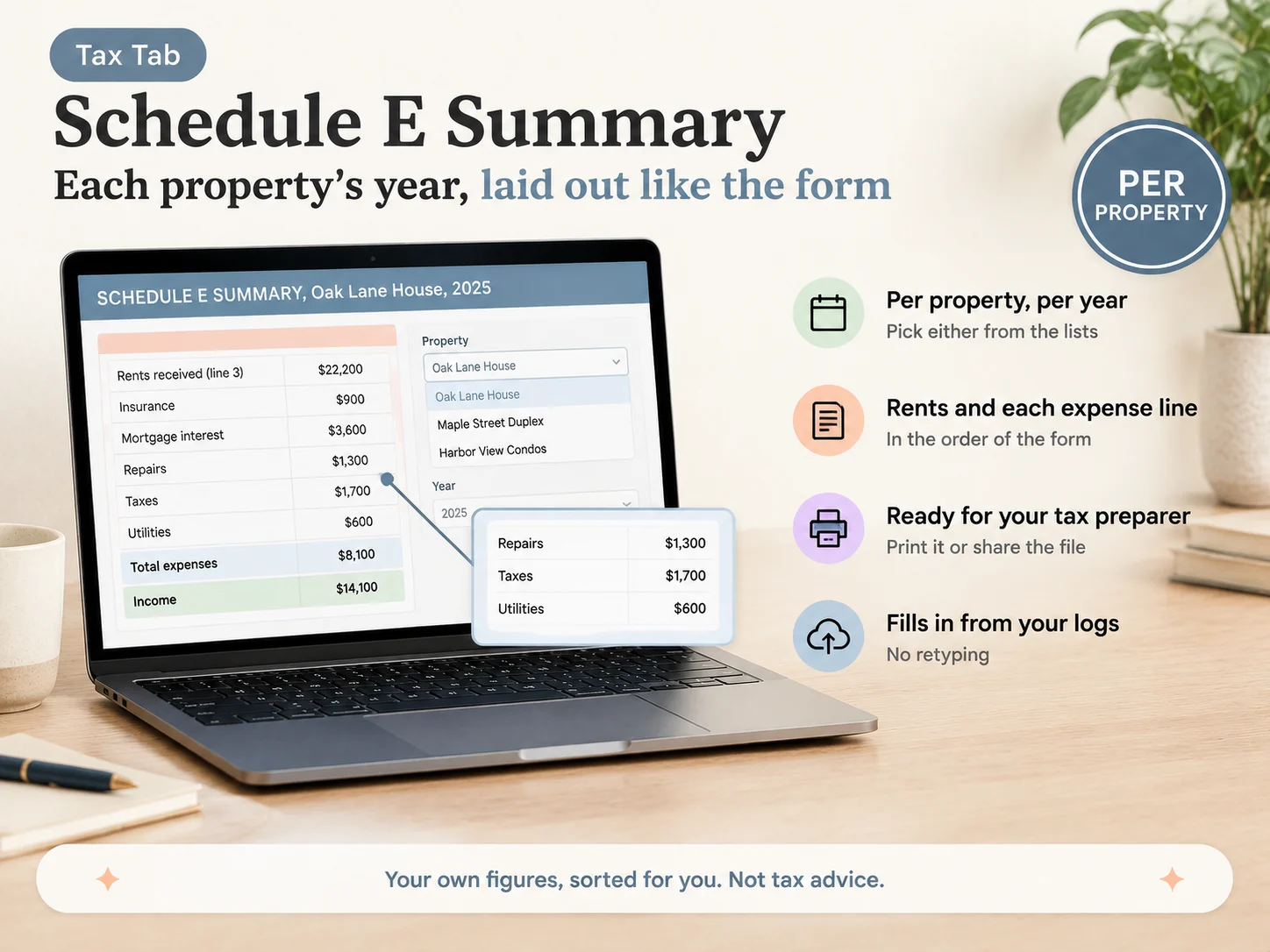
Build summaries from the original logs. A monthly view helps you spot missing entries while the bills are easy to find. An annual view can put income and expenses by property and category in one place. A Schedule E summary can arrange your own figures in the form's general order for discussion with a tax preparer.
Do not treat the summary as a completed tax return. Depreciation, personal use, losses, and other rules may affect what belongs on a return. The current Schedule E form and instructions are the reference for filing. Review the relevant tax-year instructions each year.
A recordkeeping routine that survives tax time
The spreadsheet only helps if entries happen before details fade. Set a short routine after rent clears and after you pay a bill. Add the transaction, choose a property, attach or locate the supporting document, and check that the amount agrees with the statement or receipt.
Once a month, look for blank property fields, expenses without a receipt location, and rent rows with a balance that needs follow-up. Keep an unresolved item visible rather than changing its status to make the month look tidy. The note can say what you are waiting for, such as a corrected invoice or confirmation of payment.
At year end, save a copy of the workbook and gather the records it points to. Compare the income and expense totals with bank statements and tax documents. A rental income and expense worksheet from Zillow is a simpler option for owners who want a yearly income-and-spending summary by month and property. If your needs include tenants, lease dates, balances, deposits, or repairs, those records require more structure than a single totals sheet.
The IRS says a recordkeeping system should support income and expenses and help you prepare financial statements and returns. It does not prescribe one spreadsheet format for every landlord. Pick a system you can keep current, then store source documents where you can retrieve them.
A connected workbook for small landlords
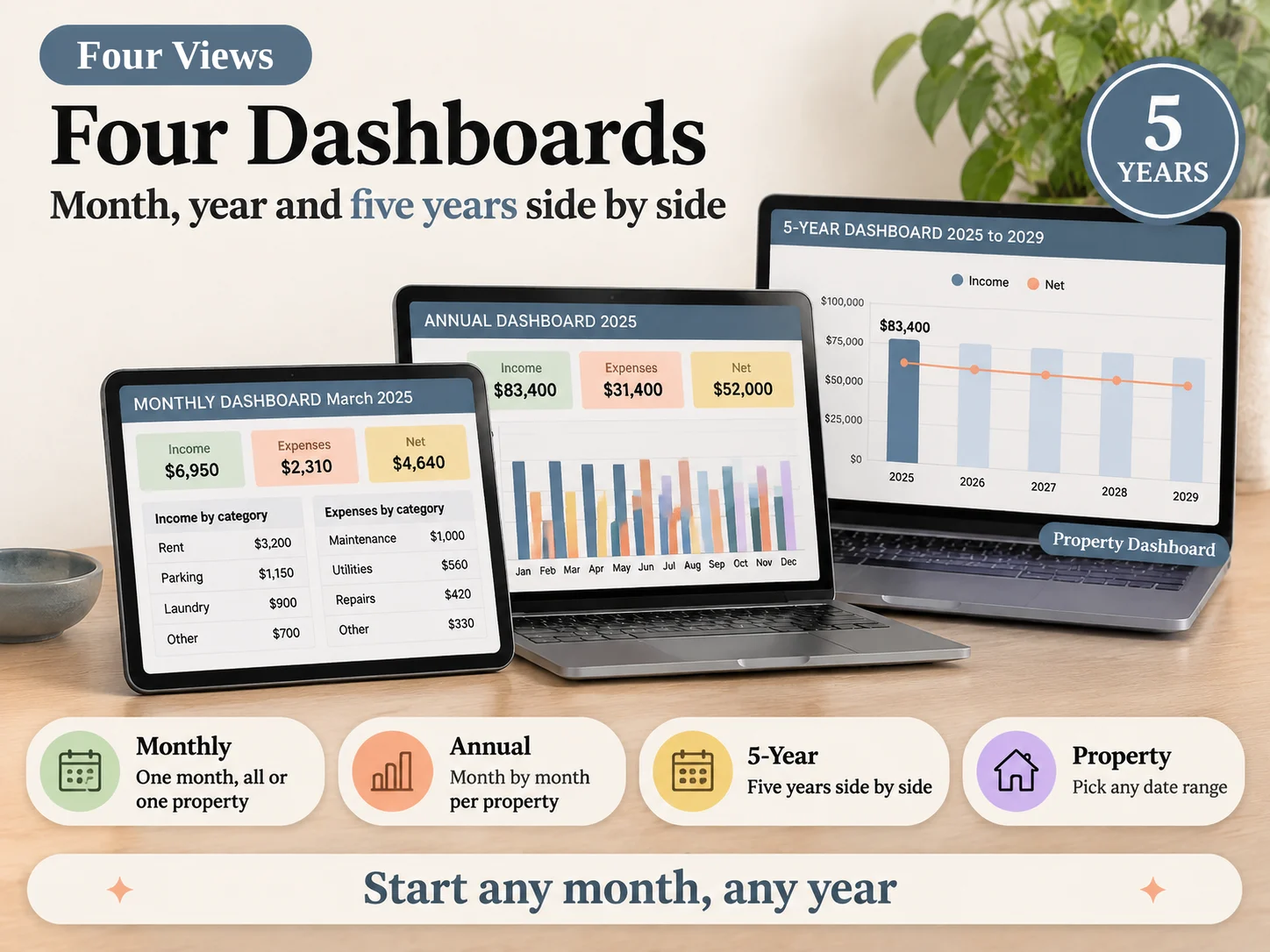
Ultimate Rental Property Tracker is designed around this record flow: add a property and tenant, enter rent and expenses, then review the dashboards and Schedule E Summary. Its Google Sheets and Excel versions include 15 tabs, up to 50 properties, sample and clean copies, and a short PDF guide. The Schedule E Summary organizes your figures by property and year; it does not provide tax advice or file a return.
The workbook also has a Rent Ledger for amounts due, paid, and owed; an Expense Log with Schedule E categories and a receipt-location field; and separate tabs for repairs, mileage, and security deposits. There is no bank link, rent collection, tenant portal, e-filing, or depreciation calculation. You enter the depreciation figure provided by your tax preparer.
You can review the full rental property spreadsheet contents before choosing whether the connected workbook fits your process. The about page identifies the publisher. For publication standards and how this site handles sources, see our editorial policy. This guide is general information, not tax or legal advice. Ask your tax preparer or a local attorney about your situation.
Before you hand the year to your tax preparer, compare the entries with their source records and mark anything you could not confirm. Use the workbook's categories to sort transactions, then review tax treatment against current guidance and your own circumstances.
Frequently asked questions
What should a rental property spreadsheet include?
At minimum, track each property's rent received, expenses, dates, categories, and supporting records. A broader workbook can also organize tenants, leases, repairs, deposits, mileage, and year-end totals.
Should I use one spreadsheet per rental property?
Either approach can work. A shared workbook is easier to summarize when every transaction has a property identifier. Separate files may suit owners who need separate access or records for each property.
Can a spreadsheet replace Schedule E?
No. A spreadsheet can organize figures for review and tax preparation, but it does not file a return or decide what is deductible. Use the current IRS instructions and ask a tax preparer about your situation.
How do I track rental income and expenses?
Record each receipt and payment with its date, property, amount, category, and a note or receipt location. Keep rent due and rent paid distinct so a balance is visible.
Do I need landlord software for one rental?
It depends on the work you need done. A spreadsheet may be enough when you only need records and summaries. Software may fit better when you need tenant portals, rent collection, reminders, or bank connections.
How long should I keep rental property records?
Keep records that support income and deductions for as long as they may be needed under the applicable tax rules. The IRS explains record retention in its publications; ask a tax professional about your circumstances.
